ScoutTract
SMS opt-in: Emergency contact safety alerts
Public page showing how a person agrees to receive ScoutTract safety alert texts. Program terms: SMS Terms. Terms of Service · Privacy Policy · Opt-in screenshots (public folder).
What this program sends
A ScoutTract user can save an emergency contact (name, mobile number and optional email) in their Profile. If the user misses a scheduled safety check-in, or a crash or fall is detected (tree stand, biking, ATV/UTV, off-road) and not cancelled, ScoutTract texts the contact the user's last known location and time so they can check on them. These are transactional safety messages only. No marketing is ever sent. ScoutTract is not an emergency service; in an emergency call 911.
How consent is collected
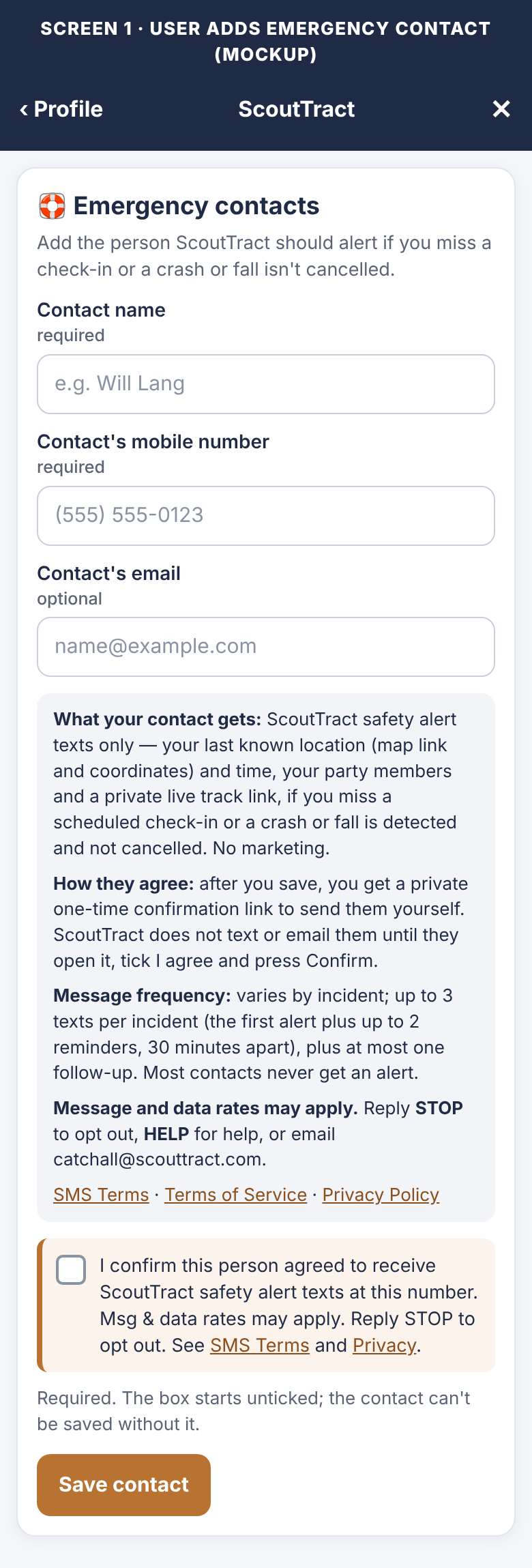
- The user adds the contact (signed in): under Profile → Emergency contacts, the user enters the contact's name, mobile number and optional email and must tick a required consent box that starts unticked: “I confirm this person agreed to receive ScoutTract safety alert texts at this number. Msg & data rates may apply. Reply STOP to opt out. See SMS Terms and Privacy.” The contact can't be saved without it.
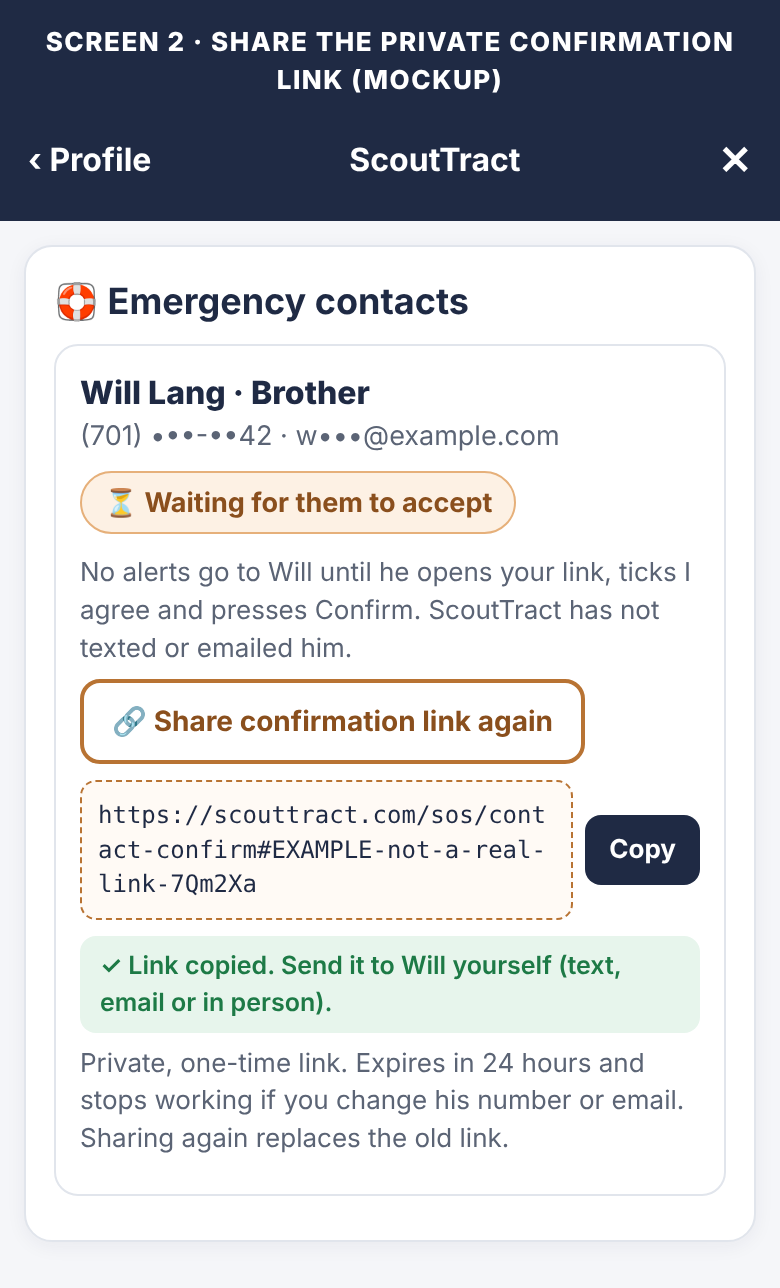
- The user privately shares a one-time confirmation link with the contact, through a channel the user chooses. ScoutTract does not text or email the contact before they agree.
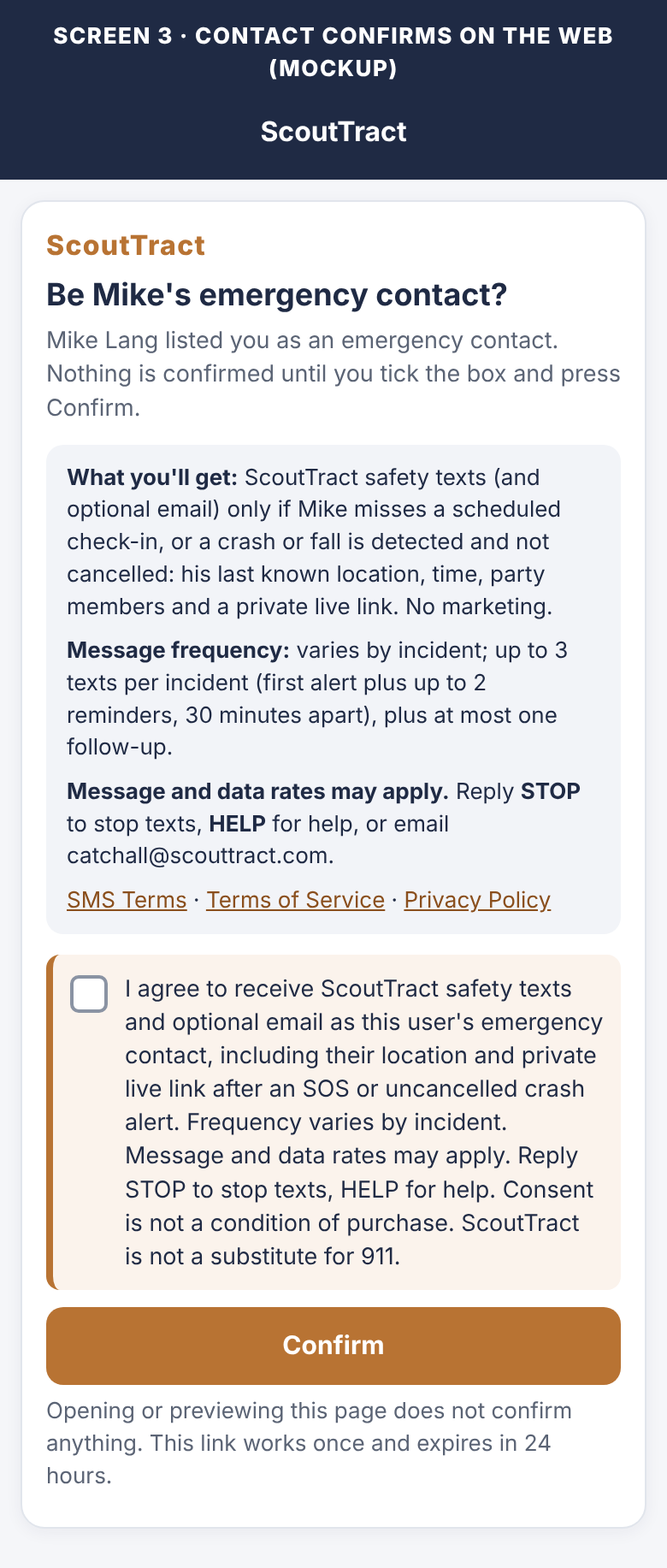
- The contact agrees on the web: the link opens a page that shows what they will receive, how often, that message and data rates may apply, HELP/STOP and links to the Terms and Privacy Policy. They must tick an unticked I agree box with this exact text: “I agree to receive ScoutTract safety texts and optional email as this user's emergency contact, including their location and private live link after an SOS or uncancelled crash alert. Frequency varies by incident. Message and data rates may apply. Reply STOP to stop texts, HELP for help. Consent is not a condition of purchase. ScoutTract is not a substitute for 911.” and press a separate Confirm button. Opening or previewing the link does not confirm anything. Links expire after 24 hours, work once, and stop working if the contact's phone number or email changes.
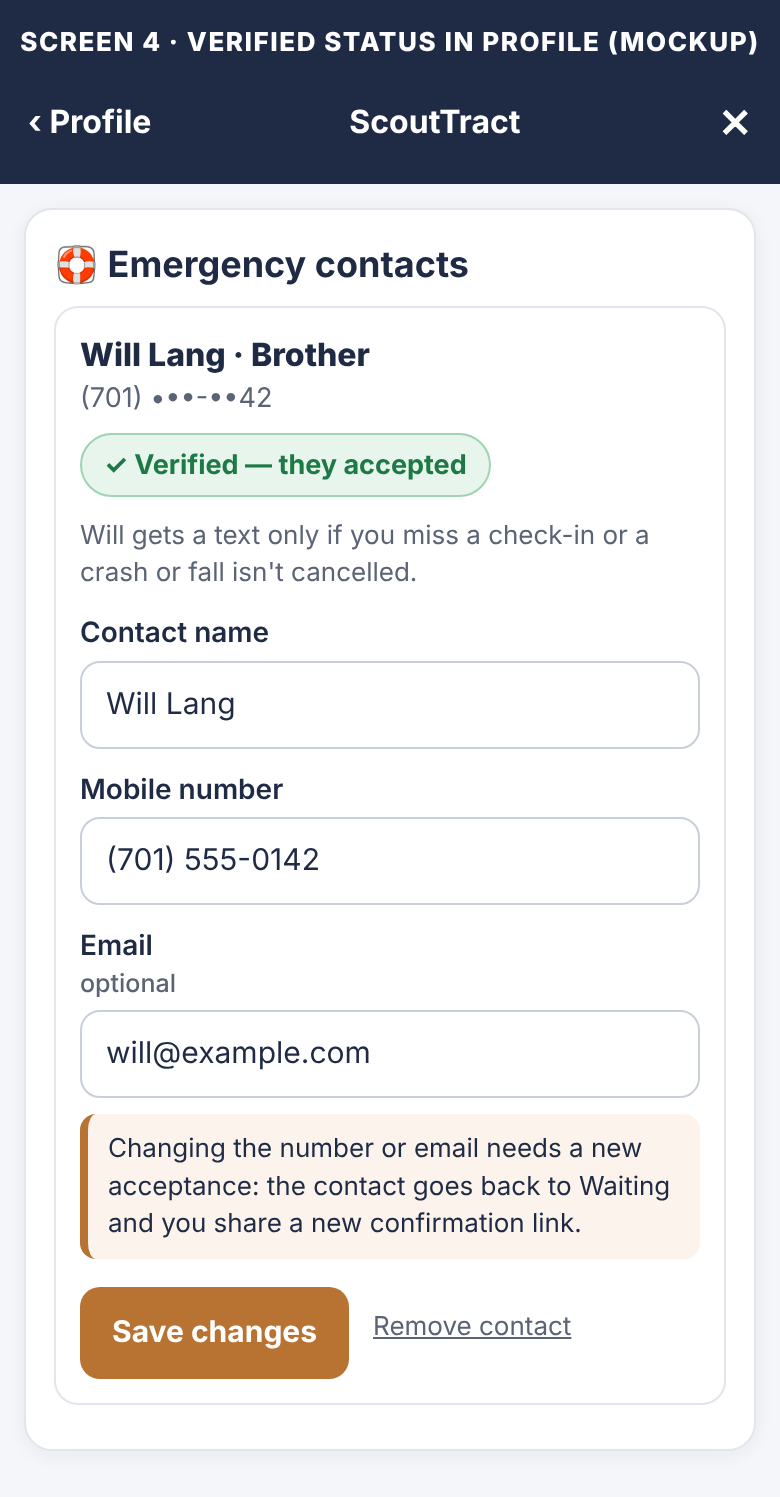
- Status in the app: the user's Profile shows Waiting for them to accept until the contact confirms and Verified — they accepted after. Alerts are sent only to verified contacts.
- Share again, change or remove: while waiting, the user can Share confirmation link again (a new link replaces the old one). Changing the contact's number or email means they must accept again. The user can remove a contact at any time.
- STOP, START and HELP: replying STOP opts the number out of all ScoutTract texts (one confirmation is sent, then nothing more). START opts back in, but an emergency contact must accept a new confirmation link before alerts resume. HELP returns support information. Contacts who confirmed under the earlier text-reply process must confirm again through a one-time link.
No mobile information will be shared with third parties or affiliates for marketing or promotional purposes. Mobile numbers and SMS opt-in consent are never sold or shared for marketing.
Example: the form the user fills in
The real form is behind sign-in, so this is a public, non-working copy of it. Nothing typed here is saved or sent.
Example: what the contact sees from the private link
The contact confirms only on this page. A public, non-working copy:
Example alert (sent only after the contact confirms): “ScoutTract safety alert: [Name] missed a scheduled check-in at 4:30 PM CST. Last known location: https://maps.google.com/?q=46.81230,-100.78340 (46.81230,-100.78340) at 3:12 PM CST (18 min ago). You are listed as their emergency contact. Party: Sam, Jo. Live track: https://scouttract.com/hunt/track/abc123 Try to reach them; if you can't, call 911. Reply STOP to opt out.” If there is no check-in, up to 2 reminders follow 30 minutes apart, starting “Reminder 2 of 3: …”.
Screenshots of the opt-in flow
Labelled mockups drawn from the app's Profile → Emergency contacts styles. The same images are in the public folder.
Message frequency, costs and help
Message frequency varies. No texts until the contact accepts the confirmation link. After that, texts are sent only on a missed check-in or a detected crash or fall that is not cancelled: up to 3 texts per incident (the first alert plus up to 2 reminders, 30 minutes apart, until the user checks in or the alert is resolved), plus at most one follow-up when the user checks in or is marked safe. Most contacts never get an alert. Message and data rates may apply. Consent is not a condition of purchase. Reply STOP to opt out, HELP for help, or email catchall@scouttract.com. Carriers are not liable for delayed or undelivered messages.